Less manual work
No copying bookings from forms, messages or spreadsheets.
Website ↔ CRM
Your website shows available slots, customer picks a time, and the new appointment appears automatically in the CRM schedule.
Get a demo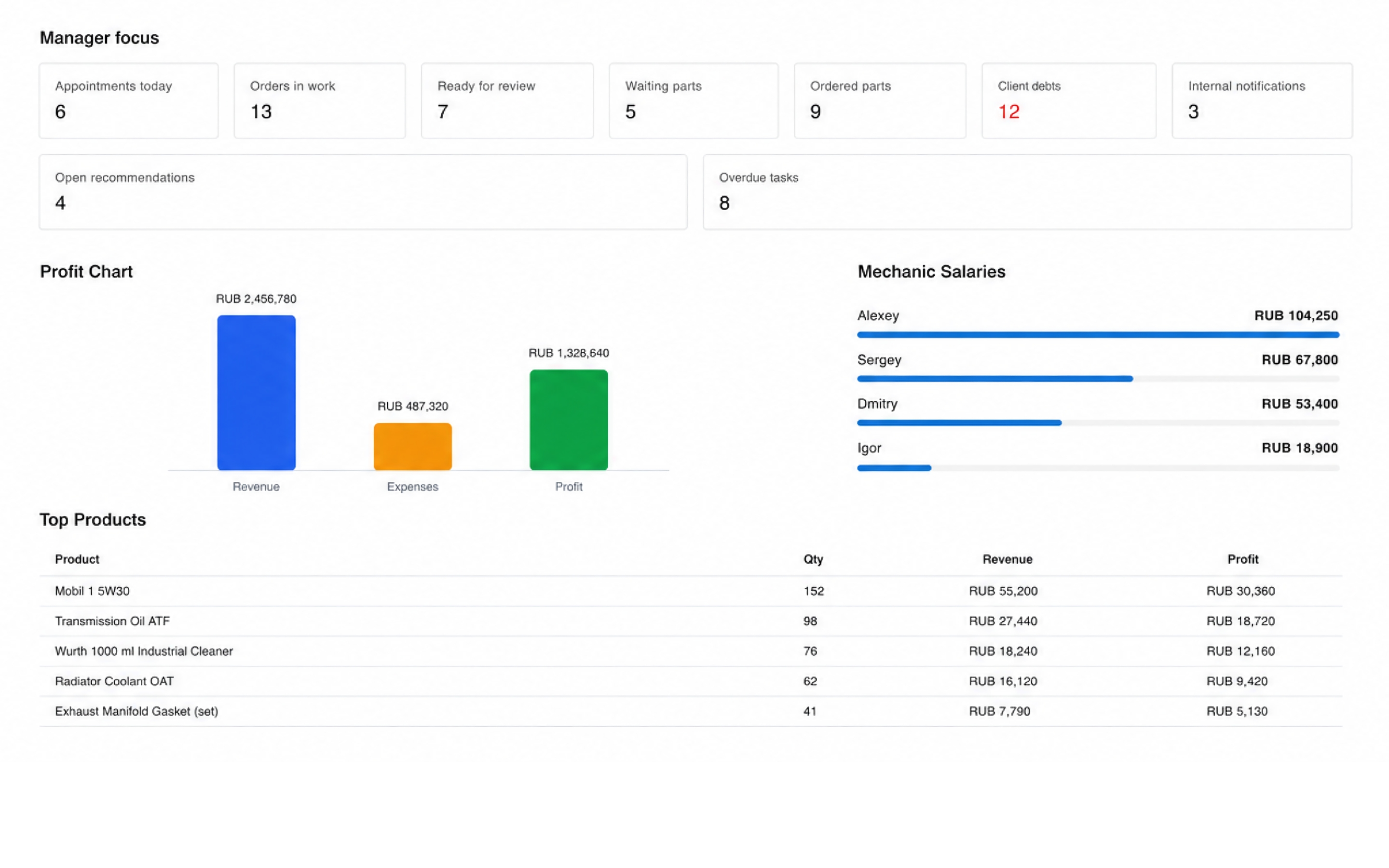
No copying bookings from forms, messages or spreadsheets.
Website and CRM work with the same schedule.
Traffic can land on online booking and turn directly into appointments.
Available slots come from the real workshop schedule, so the website shows relevant booking times.
A visitor selects service, date and time without waiting for a manager to reply.
The new booking lands in CRM where employees see the customer, vehicle and selected time.
Yes. If the website allows integration, booking can be connected to the CRM schedule.
Yes. The website can show available times based on the CRM schedule.
The appointment appears automatically in the CRM for workshop staff.
CRM Features
Create work orders, manage services and parts, track repair statuses and keep every vehicle history in one connected system.
Open moduleRun the full workshop process from first customer booking to payment, inventory, profit tracking and repeat visits.
Open moduleTrack parts, stock levels and usage inside work orders so inventory stays connected to actual repairs.
Open modulePlan bookings, jobs and team workload in one schedule connected to customers, vehicles and work orders.
Open moduleKeep customers, vehicles, repair history and recommendations in one CRM so managers understand every visit context quickly.
Open moduleSee revenue, profit, payments, debts, orders and team workload without manually combining spreadsheets.
Open moduleI can show a production website and CRM integration for an auto service.
Get a demo