Daily planning
See what is happening today and who owns each job.
Workshop Scheduling
Plan bookings, jobs and team workload in one schedule connected to customers, vehicles and work orders.
See CRM scheduling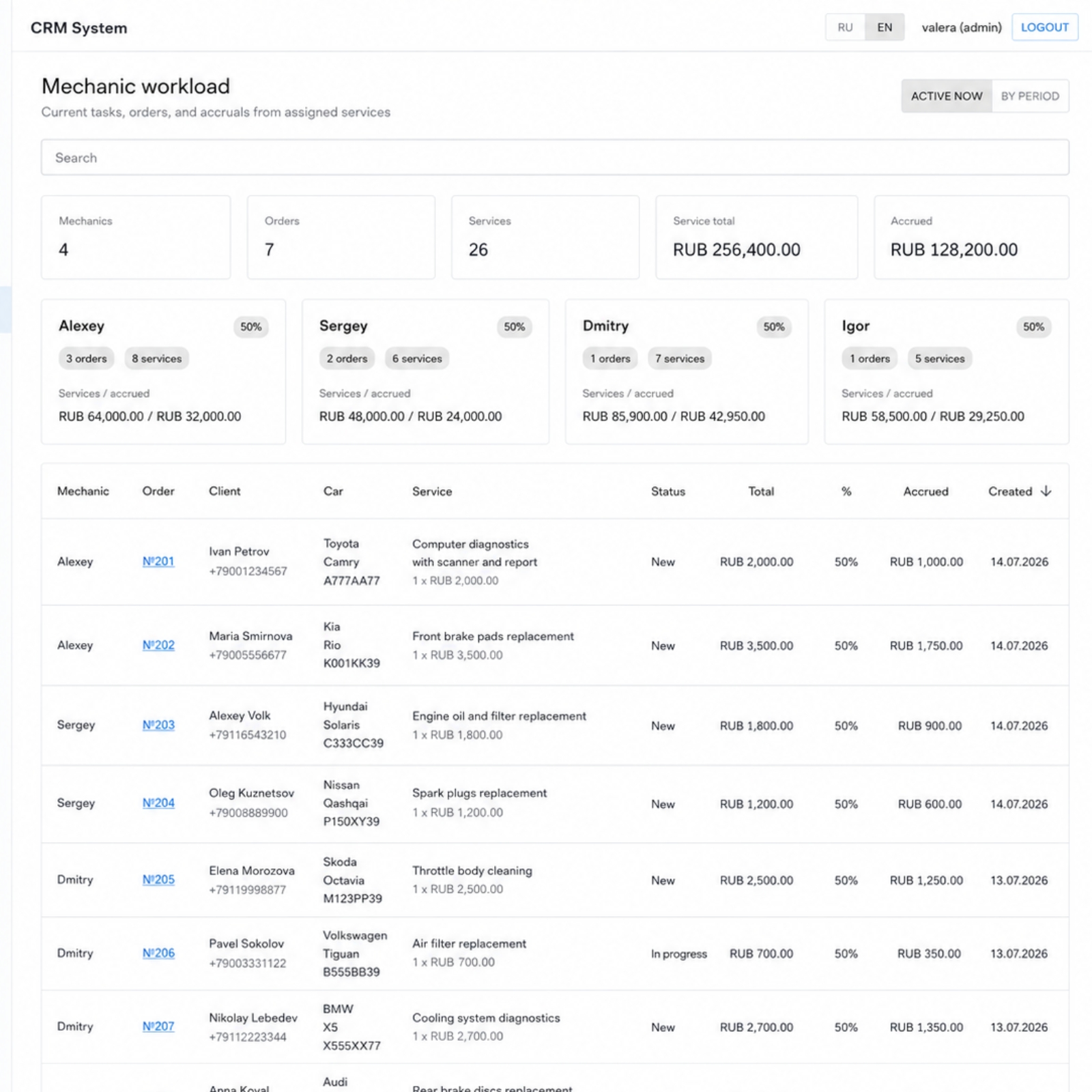
See what is happening today and who owns each job.
Distribute work between mechanics more clearly.
Scheduling can synchronize with online booking.
The schedule shows who is busy, which jobs are active and where the next customer can fit.
Managers see active orders and assigned services for each employee.
Available slots can be shown on the website so bookings land directly in CRM.
Yes. CRM shows active jobs and assigned services by employee.
Yes. Scheduling logic can be adapted to a specific auto service structure.
Yes. The website can receive available slots from the CRM schedule.
CRM Features
Create work orders, manage services and parts, track repair statuses and keep every vehicle history in one connected system.
Open moduleRun the full workshop process from first customer booking to payment, inventory, profit tracking and repeat visits.
Open moduleYour website shows available slots, customer picks a time, and the new appointment appears automatically in the CRM schedule.
Open moduleTrack parts, stock levels and usage inside work orders so inventory stays connected to actual repairs.
Open moduleKeep customers, vehicles, repair history and recommendations in one CRM so managers understand every visit context quickly.
Open moduleSee revenue, profit, payments, debts, orders and team workload without manually combining spreadsheets.
Open moduleI can show how scheduling connects to work orders and online booking.
See CRM scheduling